Lead Management
Capture leads, assign owners, bulk import/export, and convert to inquiry with one click — leads no longer scatter across chat logs.
Built for IC electronic component traders / agents
Leads, quotation, sales, purchasing, inventory, finance, and business analytics — all in one integrated system. The desktop app works out of the box, no server required, and your data stays entirely in your own hands.
Features
Not a trimmed-down generic ERP, but a complete closed loop designed around the real working habits of IC trading.
Capture leads, assign owners, bulk import/export, and convert to inquiry with one click — leads no longer scatter across chat logs.
Upload a BOM of dozens or hundreds of lines in Excel and price them all at once. The system auto-selects by "agreement price > latest quote > base price"; every price can be opened to its source.
Unified management of customer agreement prices, historical deal prices, exchange rates, and tax rates — quotations backed by data, profits no longer guessed.
Order entry checks credit limits; outbound locks stock by batch FIFO. If the agreed prepayment has not arrived, the system calculates the gap and blocks shipping by name — "still short ¥23,900, cannot ship", by system not by conscience.
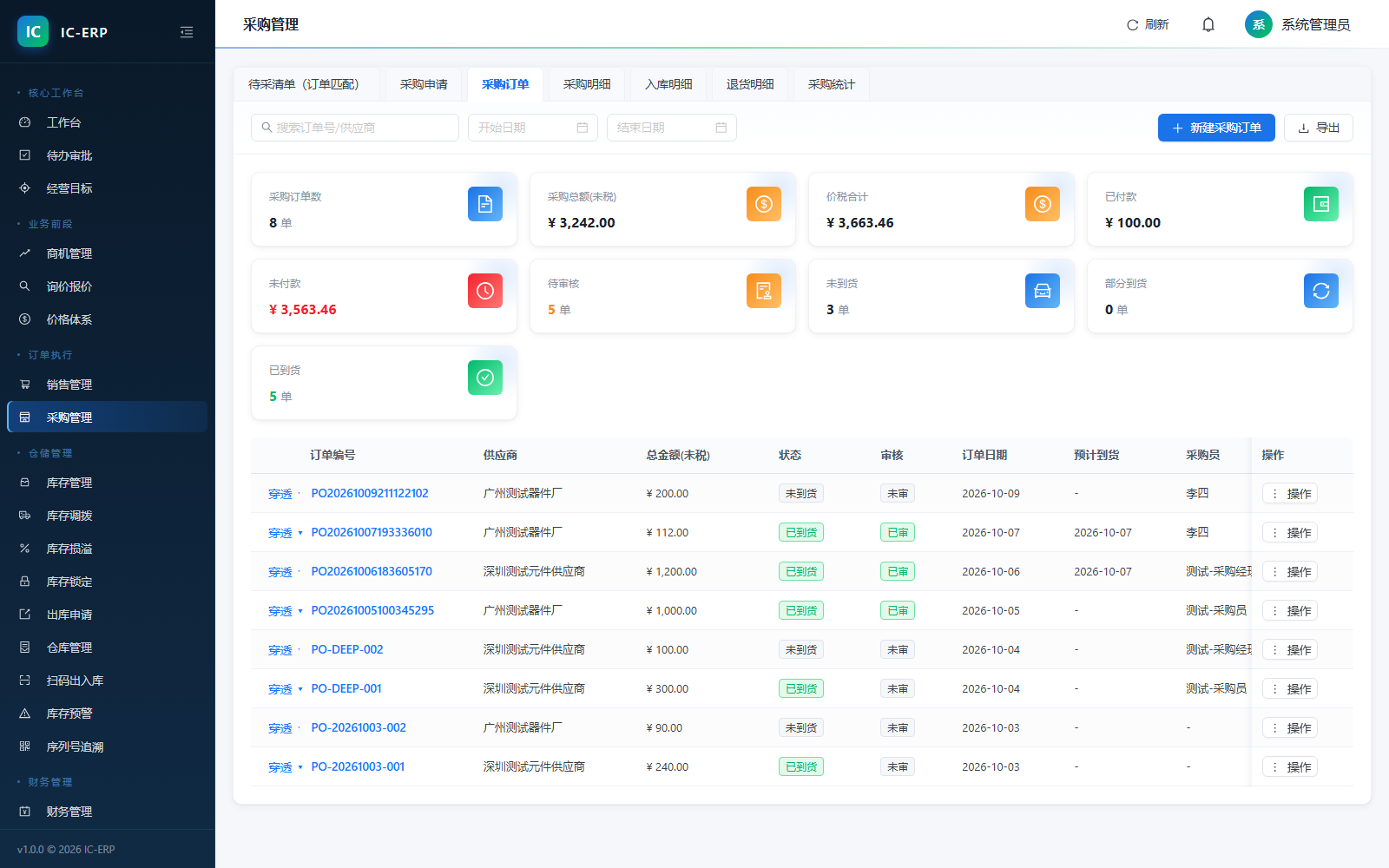
The pending-purchase list back-calculates the gap from sales orders and generates a purchase order in one click; once incoming inspection is enabled, goods not yet cleared are blocked at goods receipt.
Model + warehouse + bin precise to batch; scan in/out, serial-number forward and reverse traceability. Inventory alerts watch available quantity — goods locked by orders no longer pretend to be in stock.
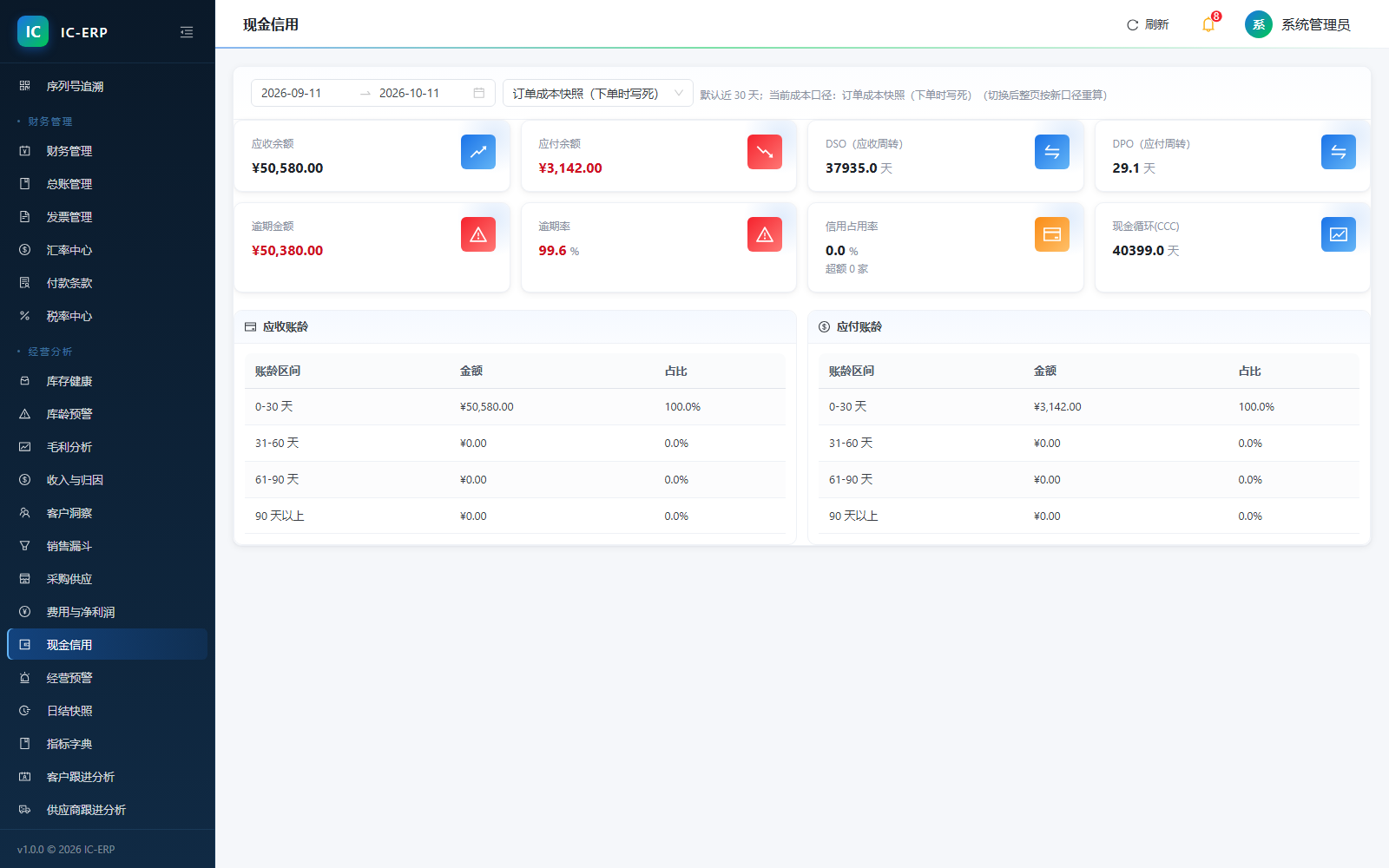
Confirming a receipt auto-generates vouchers; receivables/payables aging split into 0-30 / 31-60 / 61-90 / 90+ brackets; click the order number to jump straight to that document — no more flipping long lists for reconciliation.
Commission accrues by tiers against actual collections; every source document can be drilled into — when an employee disputes pay, show them that one settlement screen.
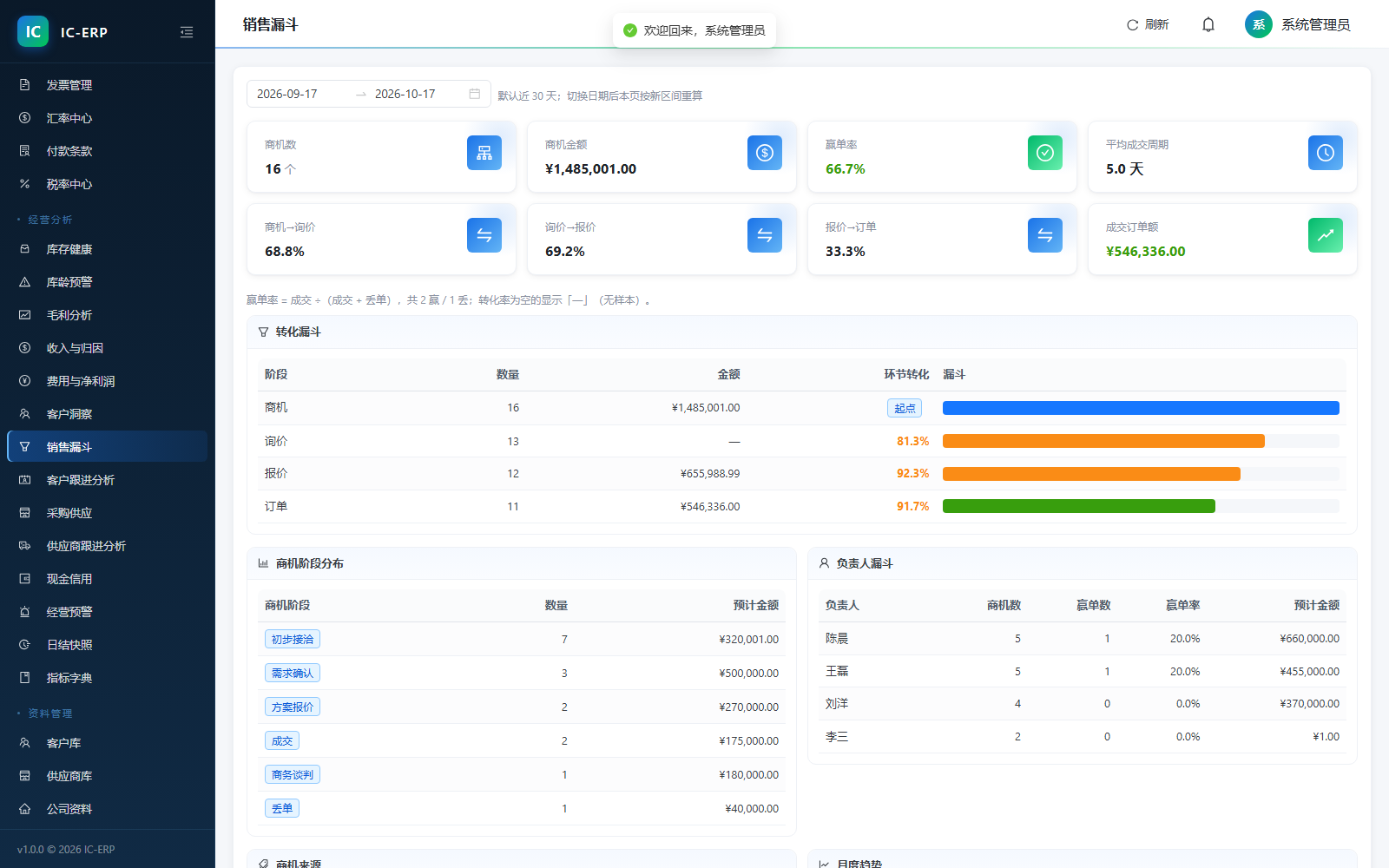
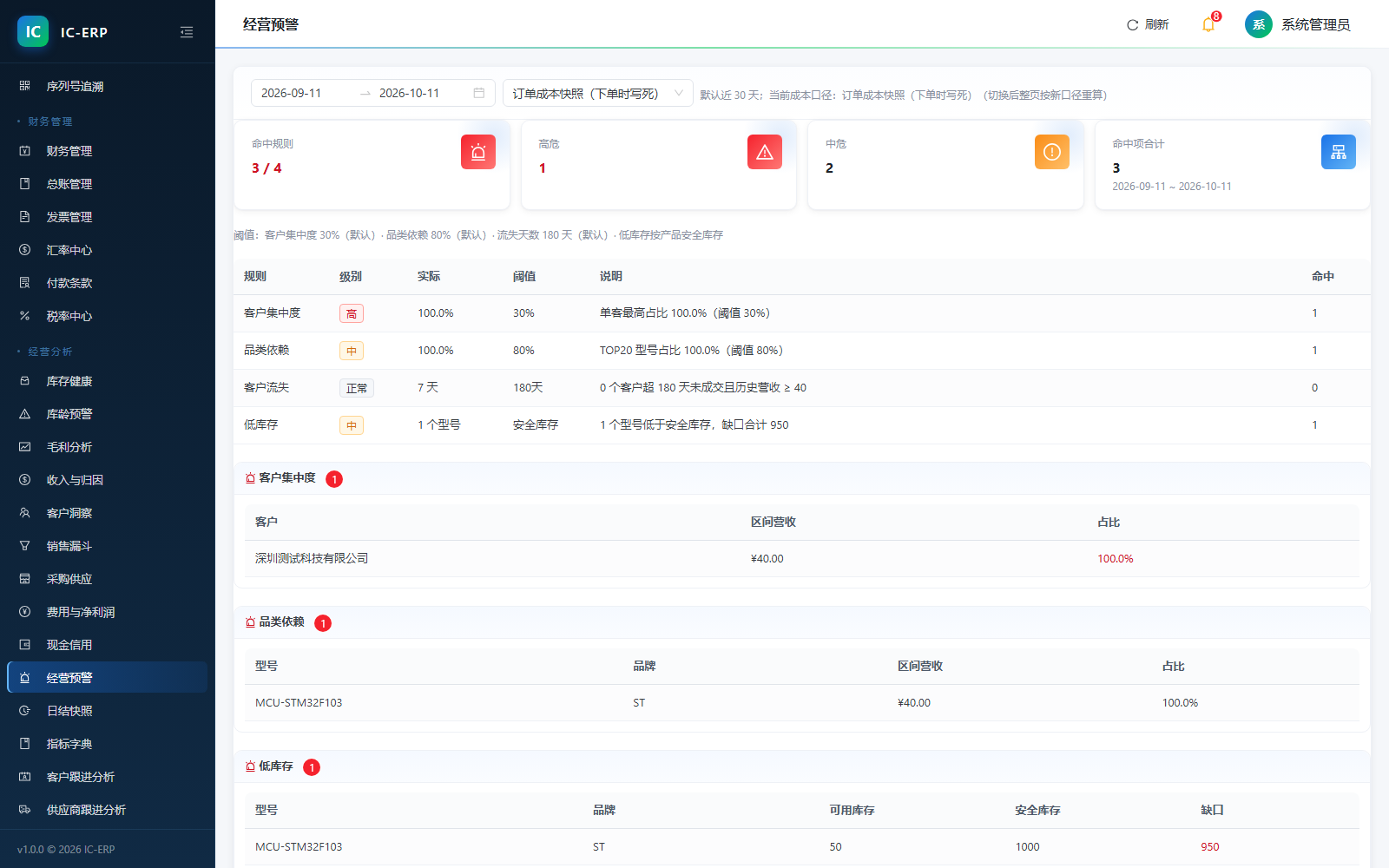
14 boss-view reports: from inventory health to revenue attribution, from churn to credit occupancy. Historical figures are frozen at daily close and never drift with later edits.
What should be someone’s task auto-arrives on their workbench; due dates, receivables, and inventory age are inspected every 30 minutes; the bell plus desktop toast calls you back — overdue items named to the document.
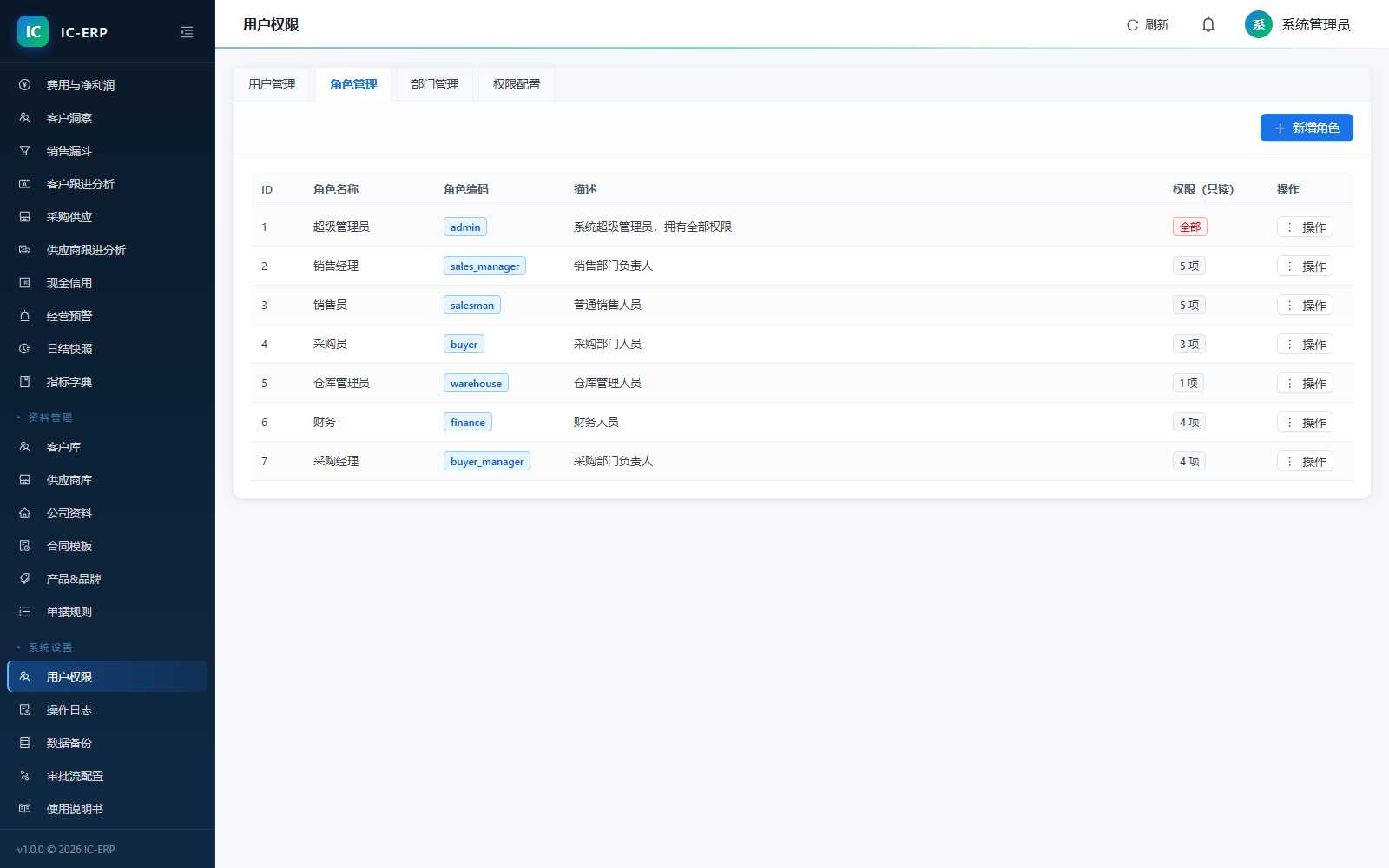
Bulk-import customer, supplier, and material libraries; 15 modules × 60+ operations finely authorized by role — each sees their own data.
Company, department, users, numbering rules, and print templates configured centrally; credit red-lines and permission policies land here once and for all.
Workflow
A lead cannot go straight to an order; it must become an inquiry, then a quote, then a sales order — every order carries quote traces, so later price pressure is accountable.
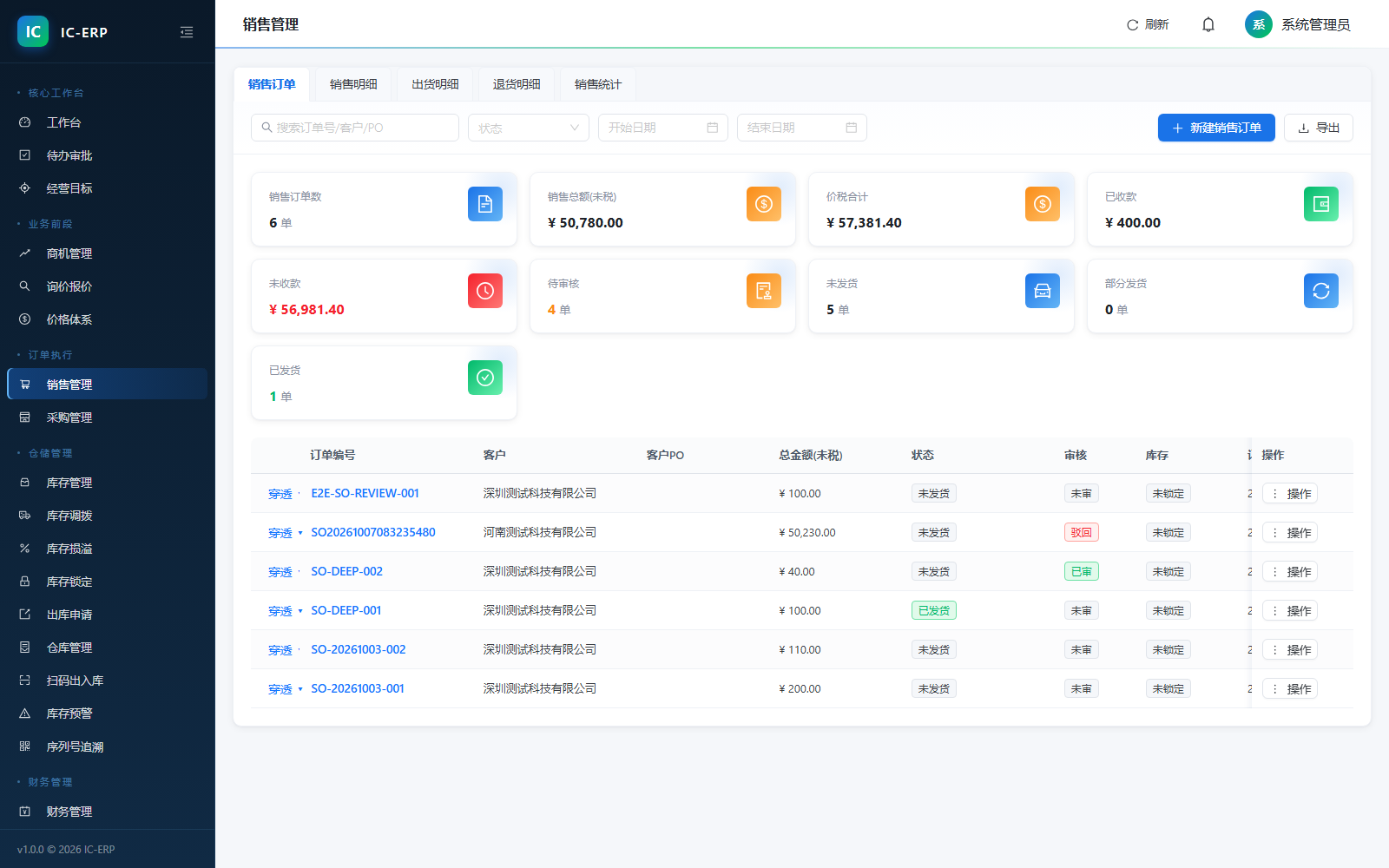
Shippable quantity = locked balance; un-locked is 0. Locking assigns batches by FIFO automatically; if short, partially lock first, top up later — no stuck orders, but no shipping on empty either.
For payment terms with a prepaid ratio, before shipping the system converts the tax-inclusive total to base currency and checks collected amount, naming the gap to the document: "prepaid ¥33,900, collected ¥10,000, still short ¥23,900".
These three gates cannot be bypassed — this is by design, not a bug. Process discipline lives in the system, so the boss need not watch people every day.
When the system stops you, it speaks human, not failure
Payment term "prepay 30%" requires 30% received before shipping… still short ¥N, cannot shipOrder has no locked stock (shippable quantity 0), please lock stock before shippingThis lead is already converted to an inquiry and cannot be deleted.Logistics
Labeling, tracking, sign-off, and monthly reconciliation run automatically as one line. Waybills are generated from sales orders; sign-off status and freight write back to the original order, always linked to the sales order — freight must hit cost, and its only entry is still "sales expense" inside the sales order, keeping accounts crystal clear.
Pick an audited order to request a waybill from the carrier; once the label prints it is a promise to the outside. Drafts cannot be printed; a wrongly entered waybill number is auto-voided with a stated reason.
The server polls tracking every 10 minutes; the sign-off date follows the real delivery date, not the day you happen to remember to refresh — so the receivables aging start is accurate.
Import the carrier’s monthly bill; the system reconciles line by line by waybill number and directly gives "bill total / system quote / variance total"; export the variance list in one click to argue with the carrier.
Role Permissions
Four-tier permissions (menu · function · data scope · field) come with a baseline. Below is what each role is hidden from by default — cost is never exposed to sales, customer phones never shown in plain text to everyone.
Permissions precise to the field: masking returns a mask (138****0000); when hidden, the API simply does not return the value — documents you cannot see never enter the export file either.
Business Reports
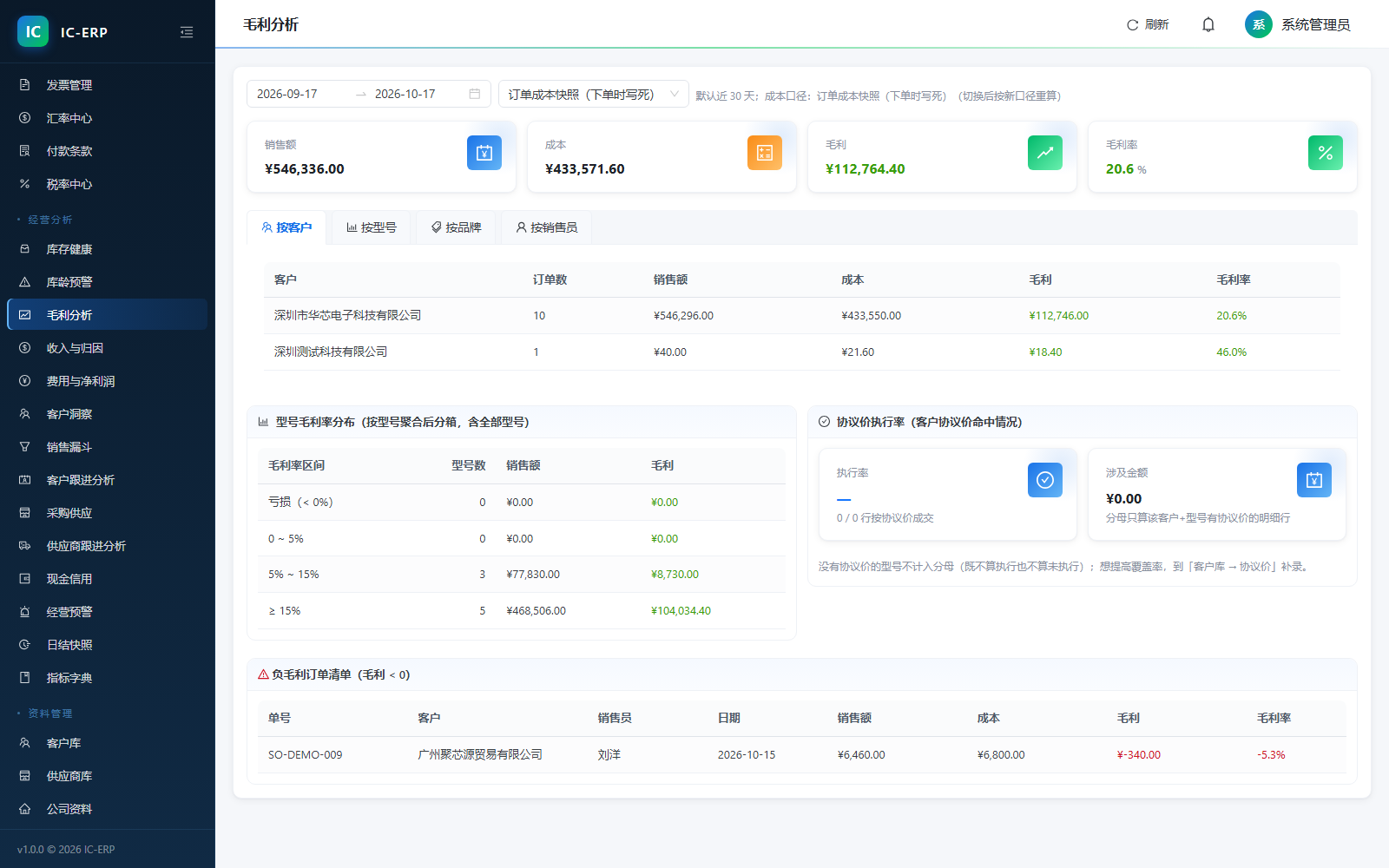
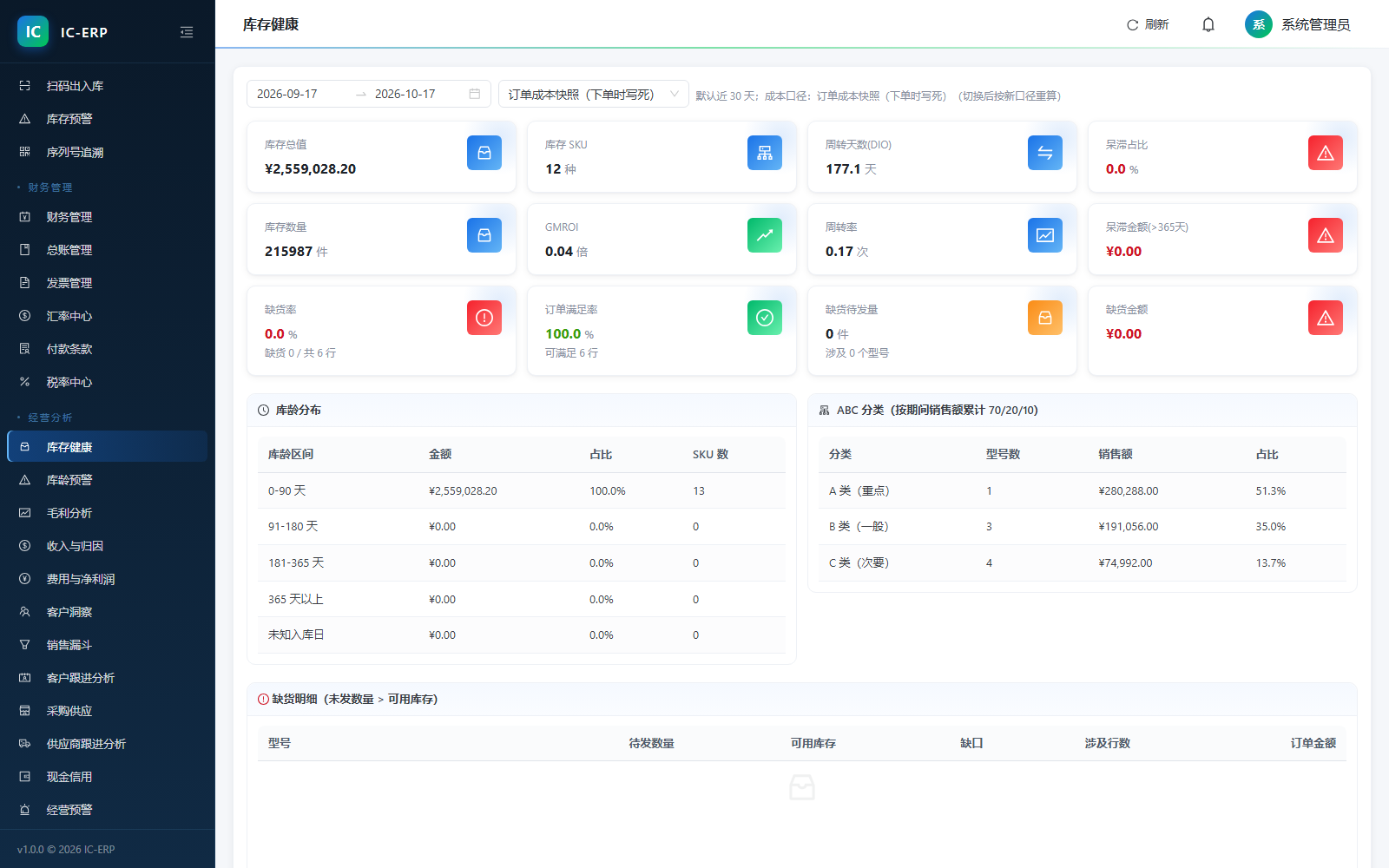
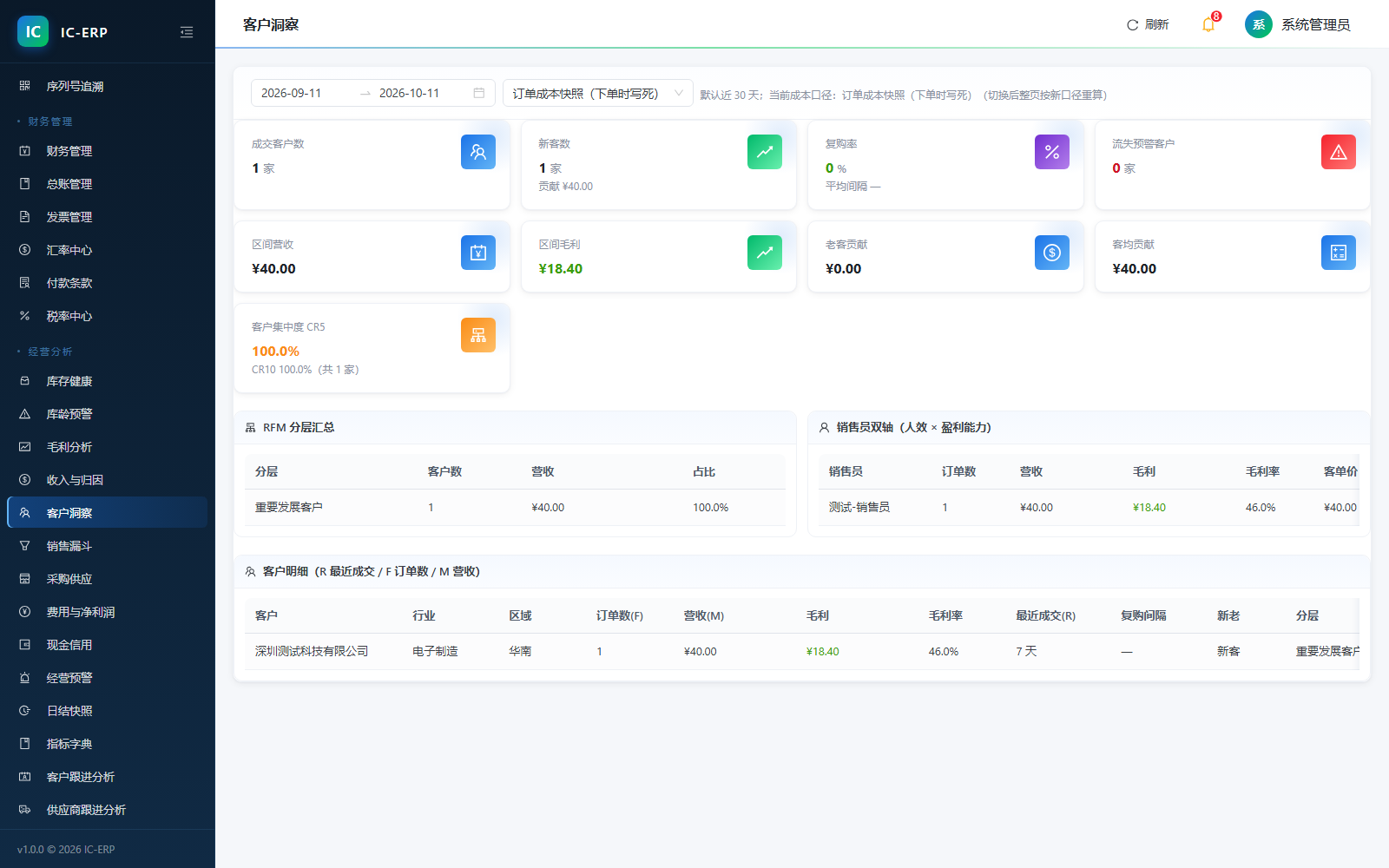
14 reports unified to base currency; historical figures frozen at daily close, never drifting with later edits. Below, each question maps to the report that answers it.
First Principles · The Screen Is the Answer
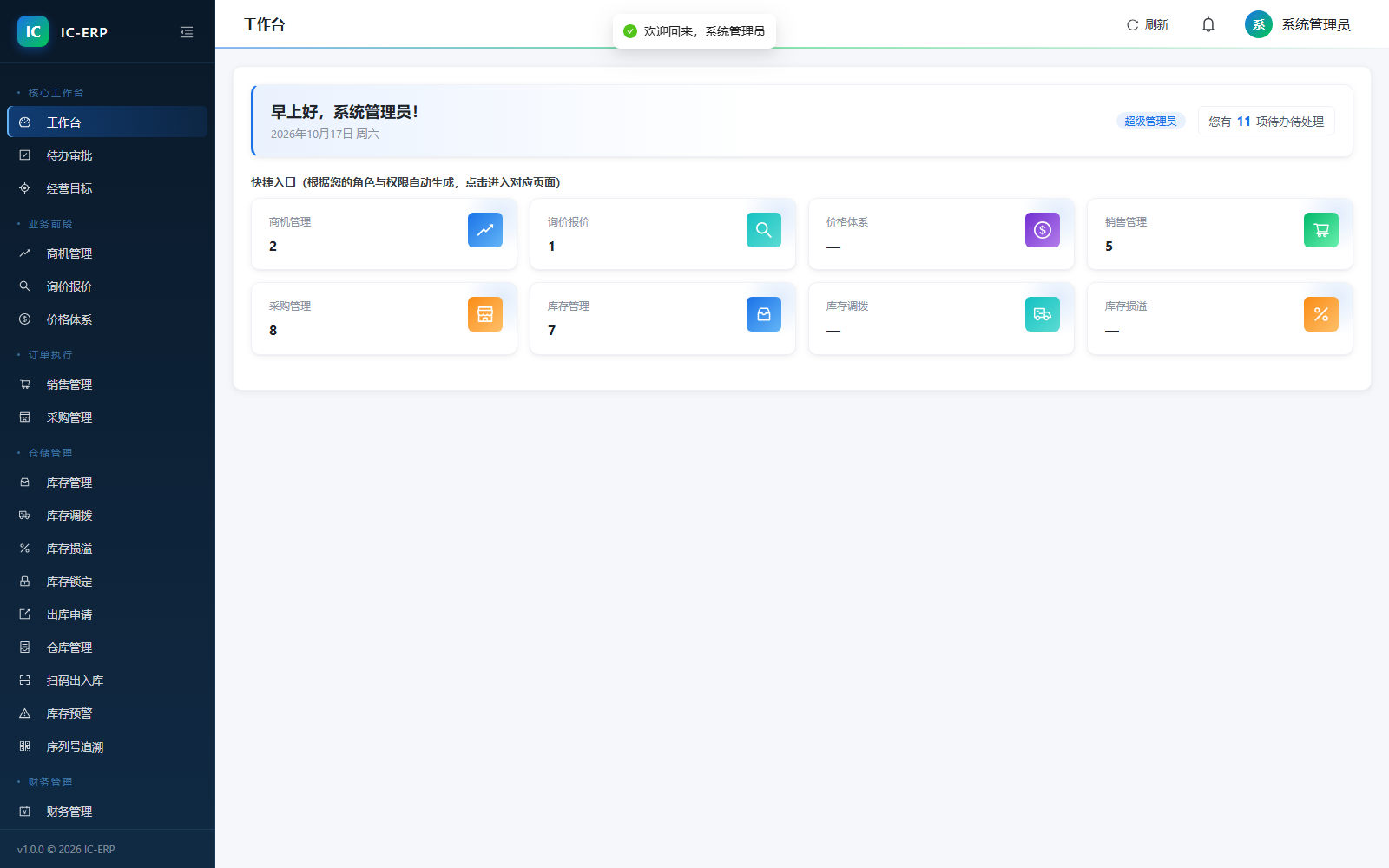
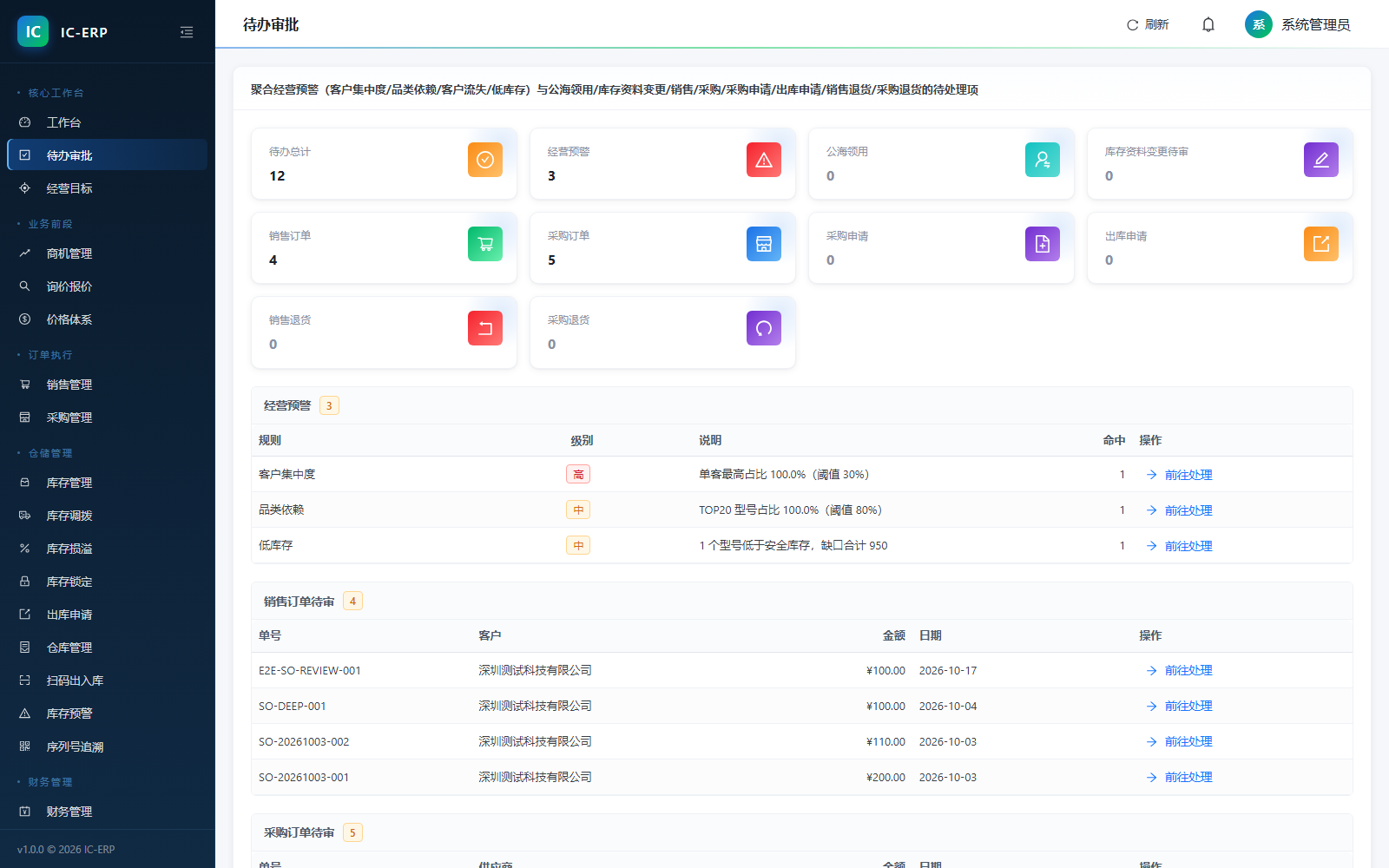
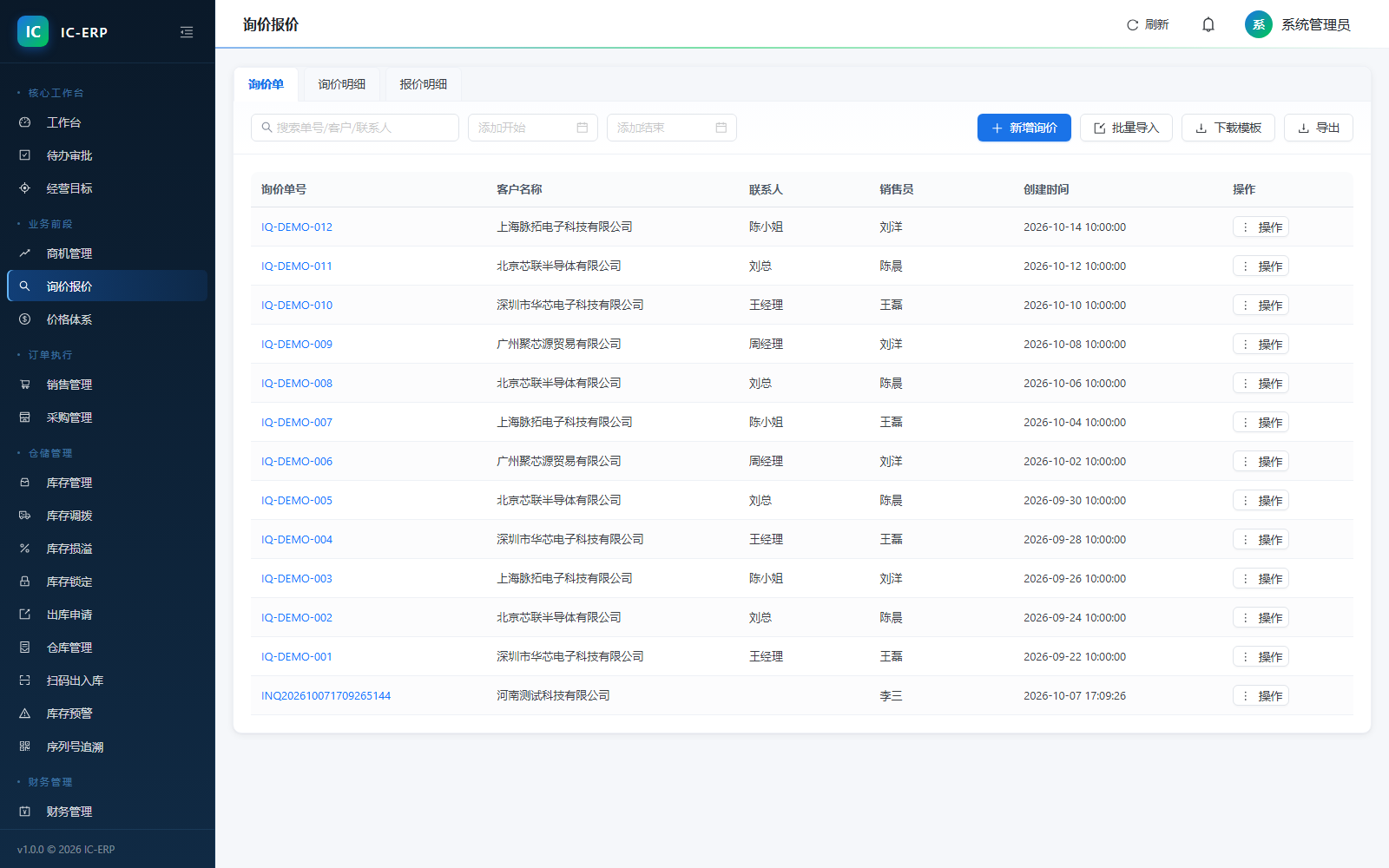
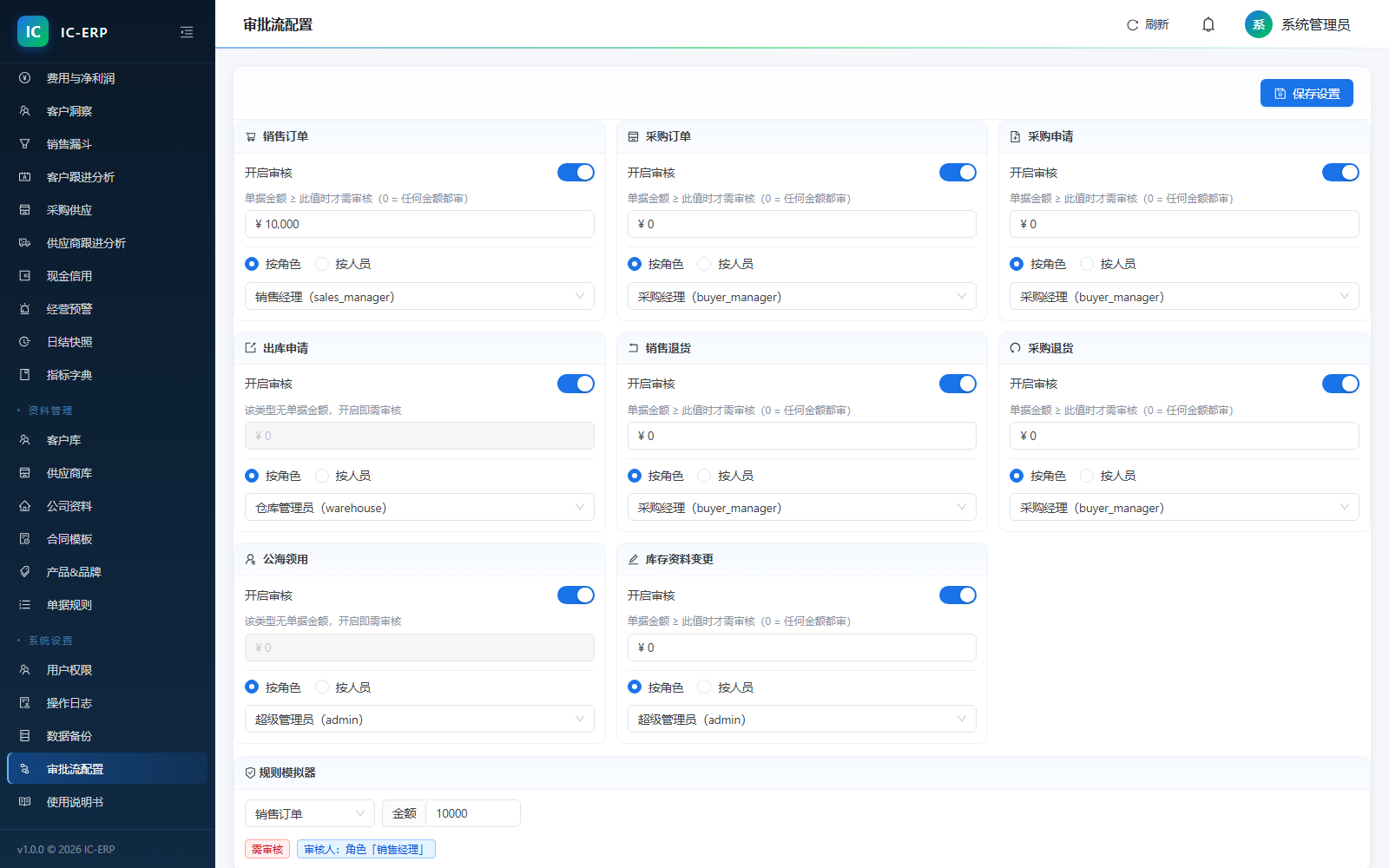
The essential pain of IC component trading: pricing by memory, inventory by spreadsheet, profit by month-end, risk control by conscience. TaiShuai ERP breaks the business back to first principles, then rebuilds it into the ten screens below that make sense the moment you open them — each piece of data entered once, flowing automatically through the whole chain.
And More
TaiShuai ERP covers 18 business steps and 55 menu functions end-to-end from lead to voucher, with a searchable built-in user manual. For the great screens and functions that don’t fit, book a remote demo and we’ll walk your real business end to end.
Design Philosophy
Many ERPs "pretend nothing is wrong". TaiShuai ERP chooses to tell you the uncertainty honestly — because the boss wants the truth, not comfort.
When the list API fails, a "read failed this time" with reason appears above the table and clears old data — it won’t leave the last batch in place pretending to be current.
The sign-off date moves the receivables aging start from ship date to sign-off date; auto-judgment takes the carrier’s recorded sign-off time, not the day you remembered to refresh.
If even one document fails a condition (wrong status, no permission, referenced, insufficient stock), the whole batch does not commit, and names which document and why — no "half done".
When a field is "hidden", the entire column disappears; when "masked", it shows a mask (138****0000); neither fakes it as 0 to fool you.
Local Deployment · Data Security
vs SaaS Cloud ERP
| TaiShuai ERP | Cloud ERP | |
|---|---|---|
| Payment | One-time | Annual subscription |
| Users | Unlimited | Per account |
| Data storage | Local private | Vendor server |
| Offline use | Supported | Not supported |
Pricing
TaiShuai ERP Standard
All functional modules, one price includes everything
First 50 · promo price
¥2980
Original ¥5960
Claim the promo spotOne-time perpetual license; reverts to original price when spots run out
FAQ
No server needed. Run the installer under Windows, deployment finishes in minutes. The built-in database needs no extra environment.
All data is stored in the database file on your local disk, uploaded to no cloud. We recommend periodic backup to a portable drive via the built-in "Backup Data" feature; when changing machines, copy the backup file to restore.
Unlimited users; freely create accounts and assign role permissions (four-tier: menu / function / data scope / field, fields can show, mask, or hide). One PC set as "server" runs the built-in database; other PCs on the LAN connect as clients for collaboration; data still stays entirely on your machine, never leaving the company.
Three hard gates written into the system: a lead cannot become an order without an inquiry; no shipping without locked stock; for terms with a prepaid ratio, if money isn’t fully in the system calculates the gap and refuses to ship. Approval flows are configured to approvers by amount threshold; a rule simulator validates before going live.
Commission accrues by tiers against actual collections; each accrual in the settlement detail can be drilled to that receipt or refund document, with the posted voucher and bank flow — when an employee disputes pay, show them that one screen.
Yes. Customer, supplier, and material libraries all support Excel bulk import/export; historical data migration cost is low.
Updates within the purchased version are free; specific upgrade policy and support scope are per the contract, confirmable during inquiry.
Yes. Submit a demo request at the bottom of the page and we’ll provide a remote product demo walking your real business process end to end.
Contact Us
Tell us your team size and main business scenarios, and we’ll provide a targeted quote and remote demo arrangement.

Scan to add WeChat SuperCoolNetwork